Tracking
Track is a log or recorded history of up to the last 500 NM travelled
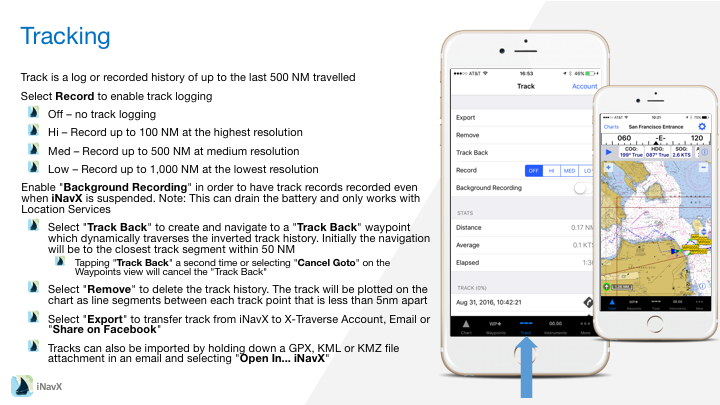
– Select Record to enable track logging
– Off – no track logging
– Hi – Record up to 100 NM at the highest resolution
– Med – Record up to 500 NM at medium resolution
– Low – Record up to 1,000 NM at the lowest resolution
Enable “Background Recording” in order to have track records recorded even when iNavX is suspended. Note: This can drain the battery and only works with Location Services
– Select “Track Back” to create and navigate to a “Track Back” waypoint which dynamically traverses the inverted track history. Initially the navigation will be to the closest track segment within 50 NM
– Tapping “Track Back” a second time or selecting “Cancel Goto” on the Waypoints view will cancel the “Track Back”
– Select “Remove” to delete the track history. The track will be plotted on the chart as line segments between each track point that is less than 5nm apart
– Select “Export” to transfer track from iNavX to X-Traverse Account, Email or “Share on Facebook”
– Tracks can also be imported by holding down a GPX, KML or KMZ file attachment in an email and selecting “Open In… iNavX”